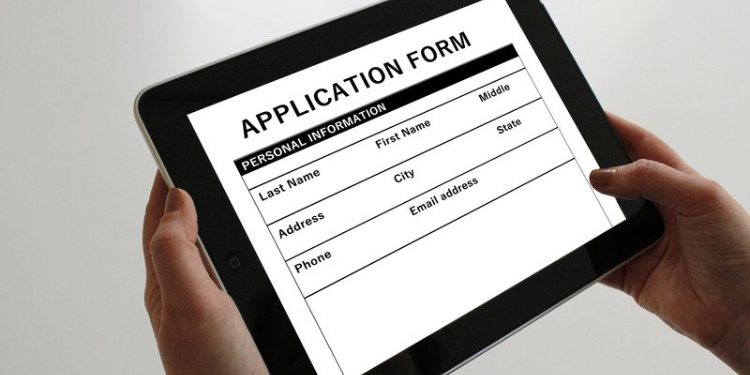
It is widely known that the labour market is very competitive and hiring managers typically have to sift through hundreds and in some cases, thousands of resumes. To solve this problem, the Applicant Tracking System (shortened as ATS) was invented.
So, when next you are applying for a job, do not assume that the recruiter will pardon the errors or inconsistencies on your resume. For all we know, the company may have the Applicant Tracking System in place that does the elimination, thus removing human judgment.
What, then, is an Applicant Tracking System? In this post, you will learn what an Applicant Tracking System is, how it works, the best versions, how it can help employers, the resume format that is best suited for it, and how to beat it as an applicant.
BUILD AN ATS-PROOF CV AND GET PERSONALIZED VACANCIES TODAY
In simple terms, the Applicant Tracking System (ATS) is a software application used by human resource personnel as an electronic database for job applicants. When deployed by companies, the Applicant Tracking System automates recruitment exercises. It gathers, sorts, scans and ranks job applications from candidates, so as to scale down the number of those that would move on to the next stage of hiring.
Applicant Tracking Systems eliminates the need for human involvement in the foundational stage of the recruitment process, which would, in turn, reduce the likelihood of human errors and recruitment bias.
Before Applicant Tracking Systems existed, hiring was mostly manual and paper-based. Employers received applications through mail, fax, or in person. HR teams stored resumes in physical filing cabinets and reviewed them manually.
This process was slow, inefficient, and difficult to manage, especially for companies receiving hundreds of applications. Recruiters often relied on spreadsheets or basic databases to organise candidate information.
The first Applicant Tracking Systems appeared in the early 1990s as companies began adopting digital HR tools. These early systems were mainly designed to store and organise resumes electronically. Key characteristics of early ATS platforms included:
These systems helped HR departments move from paper files to digital records, improving organisation and saving time.
With the rapid growth of the internet, recruitment began shifting online. Job boards and company career websites became popular, which significantly increased the number of applications employers received. During this period, ATS platforms evolved to include:
Companies started using ATS to manage large volumes of applicants more efficiently.
By the 2010s, Applicant Tracking Systems had become a central component of modern recruitment. Many organisations use ATS platforms to manage every stage of hiring. Major improvements during this era included:
These features allowed companies to streamline recruitment workflows and make more data-driven hiring decisions.
Today’s Applicant Tracking Systems are far more advanced and often use automation and artificial intelligence (AI) to improve hiring efficiency. Modern ATS platforms may include:
These systems help companies save time, reduce administrative work, and improve hiring quality.
From publicising job openings to fielding interviews, applicant tracking systems are designed with highlights intended to smooth out the recruitment process.
Applicant Tracking Systems help in easing the job application process by taking on tasks humans would have otherwise done and as a result, reduce the stress and the errors that may arise from manual sorting.
The use of Application Tracking Systems expands the efficiency and abilities of recruiters, hiring managers, and HR groups by supplying them with a concentrated information base. Its broad automation capacities allow for improvement of the recruitment team’s effectiveness while meeting the end goal of recruitment- to pull in the most qualified applicants that would contribute their skills to an organisation.
In summary, the functions of Application Tracking Systems can be highlighted as follows:
One thing that would probably never cease to exist in recruitment exercises is the deliberate application of unqualified job seekers. They are well aware that they do not meet the requirements, but they apply anyway. This has burdened those tasked with the recruitment processes with unnecessary stress, which can be avoided with the deployment of ATS. It is, therefore, not surprising that 83% of recruiters use an Applicant Tracking System.
To cut the long story short, the benefits of Applicant Tracking Systems to employers can be simplified below:
An ATS automates many time-consuming tasks in hiring, such as posting job openings, tracking applications, and sorting resumes. This allows recruiters and HR teams to focus more on evaluating candidates and making decisions rather than managing administrative work.
For companies receiving dozens or hundreds of applications per job posting, an ATS helps organise and manage large candidate pools. The system quickly filters and ranks applicants based on predefined criteria, making it easier to identify the most qualified candidates.
Modern ATS platforms use keyword searches, AI, and skills-based algorithms to match candidates to open positions. This helps recruiters find applicants who best fit the job requirements and increases the likelihood of successful hires.
An ATS provides a centralised platform for hiring teams to share notes, feedback, and candidate evaluations. This makes collaboration between recruiters, hiring managers, and interviewers smoother and more organised.
Most ATS platforms include reporting tools that track important hiring metrics, such as time-to-hire, candidate sources, and conversion rates. This data helps companies analyse recruitment performance and make informed decisions to improve hiring outcomes.
While Applicant Tracking Systems help companies streamline recruitment, they also have several drawbacks that employers should consider before implementing them.
ATS software often filters resumes based on specific keywords, formatting, or criteria. As a result, highly qualified candidates may be rejected simply because their resumes do not contain the exact keywords the system is programmed to detect.
Some ATS platforms may unintentionally introduce bias in hiring decisions if the algorithms are trained on biased historical data or poorly configured filters. This can lead to unfair screening and reduced diversity in hiring.
When recruiters rely too heavily on ATS automation, they may overlook strong candidates who don’t perfectly match the system’s filters. Human judgment is still essential in evaluating skills, experience, and potential.
Advanced ATS platforms can be expensive, especially for small businesses. Costs may include:
Many ATS systems struggle with resumes that use complex formatting, graphics, tables, or unusual layouts. This can cause the system to misread important information or fail to parse the resume correctly.
An ATS is only as effective as its setup. Poorly configured filters, scoring systems, or job requirements can lead to incorrect screening results and missed talent.
Automating large parts of the recruitment process may reduce human interaction between recruiters and candidates, which can make the hiring process feel less personal and less engaging.
Selecting the right Applicant Tracking System is important because it directly affects how efficiently your company attracts, manages, and hires talent. Employers should evaluate several key factors before choosing an ATS.
An ATS should have a simple and intuitive interface for recruiters, hiring managers, and candidates. Complicated systems can slow down hiring and require excessive training.
Make sure the ATS can integrate with other systems your company already uses, such as:
Good integration improves workflow and reduces manual work.
A strong ATS should be able to accurately parse resumes and identify key candidate information such as skills, experience, and education. This helps recruiters quickly identify qualified applicants.
Every company has different hiring processes. Choose an ATS that allows you to customise workflows, screening questions, and candidate evaluation criteria to match your recruitment needs.
The application process should be simple and mobile-friendly. If applying for a job is difficult or time-consuming, top candidates may abandon the process.
Hiring often involves multiple stakeholders. A good ATS should allow recruiters, hiring managers, and team members to collaborate, share feedback, and review candidates easily.
Look for an ATS that provides detailed recruitment analytics, such as:
These insights help improve hiring strategies.
Choose an ATS that can grow with your company. As your hiring needs increase, the system should be able to handle larger volumes of applicants and more complex recruitment processes.
Consider the total cost of ownership, including:
Make sure the system fits within your recruitment budget.
Reliable customer support, onboarding assistance, and training resources are important to ensure your team can use the system effectively.
An Applicant Tracking System becomes valuable when a company’s hiring process becomes too complex or time-consuming to manage manually. Below are some situations when businesses should strongly consider implementing an ATS.
If your company regularly receives dozens or hundreds of applications per job posting, manually reviewing resumes can become overwhelming. An ATS helps filter and organise candidates efficiently.
Companies that are constantly recruiting for multiple roles benefit greatly from an ATS because it helps track candidates, manage job postings, and maintain organised recruitment pipelines.
If resumes are being stored across emails, spreadsheets, and shared folders, it may be time to implement an ATS. The system centralises candidate information in one place.
An ATS makes it easier for recruiters, hiring managers, and interviewers to collaborate by sharing notes, feedback, and candidate evaluations within the platform.
Manual hiring processes often slow down recruitment. An ATS can automate tasks such as:
Companies that want to track recruitment performance, such as time-to-hire, candidate sources, and hiring success rates, can benefit from the reporting and analytics features of an ATS.
Make sure your job postings use clear, relevant, and inclusive keywords that accurately reflect the skills and experience you want. Avoid overly technical or narrow language that could unintentionally exclude qualified applicants. Well-written job descriptions ensure that the ATS captures all suitable candidates.
Examine how your system scores and ranks candidates. Adjust filters, scoring thresholds, and keyword requirements to prevent unnecessary rejections. Regular audits help identify overly strict criteria or filters that may be eliminating strong candidates.
Encourage candidates to submit resumes in standard formats like Word or PDF without complex layouts. Ensure your ATS can handle different resume styles, including bullet points, tables, and common headings, so it doesn’t misread or skip important information.
Educate your HR team and hiring managers on how ATS screening works and where it may fail. Encourage them to manually review resumes flagged as “low match” for critical roles to avoid missing high-potential candidates.
Even with automated screening, always include a human review for borderline cases. Using the ATS to narrow down candidates is helpful, but human judgment is essential to ensure qualified applicants are not overlooked due to automation.
Track metrics such as how many qualified candidates are being rejected by the ATS, interview conversion rates, and candidate drop-offs. Analysing these outcomes helps identify weaknesses in your ATS setup and improves overall hiring quality.
Keep your ATS software updated with the latest parsing improvements and AI features. Periodically test and adjust the system to make sure it continues to accurately capture and evaluate qualified candidates, minimising the risk of missed talent.
If you desire to own a resume that effectively bypasses the ATS, you need to adhere to a standard resume design, for example. This resume design makes use of the professional summary segment at the head of the resume to highlight your key qualifications and skill sets, and then joins it with an ordered "Work History" segment that clarifies how you have utilised these characteristics to add value to your former places of employment. In other words, it judges your perceived productivity using the information you put on your resume.
Standard Applicant Tracking Systems make a superior showing with analysing and deciphering a hybrid design since they depend on ordered information to parse your resume.
Therefore, it is to your greatest advantage to maintain a strategic distance from the functional resume design no matter what because the most attention is put on your capacities, instead of an ordered work history.
View How to Create An ATS-Friendly CV
The existence of such a thing as a ‘bad application tracking system’ is near-impossible as automated machines are generally created with the intent to ease living. Nonetheless, there are certain features you should look out for when considering utilising Applicant Tracking Systems. Some of them are:
Some of the tracking systems with these features are as follows:
The Greenhouse Applicant Tracking System is one of the best ATS for relatively small/medium-sized companies. The tracking system is reinforced by best-in-class APIs, which permit their HR clientele to deploy third-party applications at no additional cost. It is for this reason that Greenhouse Applicant Tracking is the most used tracking system in the Human Resources field.
One of the key components of the Greenhouse Applicant Tracking is the keyword frequency. It is responsible for how the outcome is returned to the recruiter is through keyword recurrence. So, if the recruiter inputs interpersonal skills as a requirement, only applicants with this skill set will have their applications appear on top; others will be flagged.
ClearCompany Applicant Tracking System is well regarded by hiring managers as it adopts an exceptional strategy with employment, beginning the exercises with requiring the hiring manager to characterise their model candidate for the job.
From there, ClearCompany encourages you to source distinctly, pose the correct inquiries, make an offer your applicants are probably going to acknowledge, and afterwards help in the onboarding of newly recruited workers into their significant positions. It also allows for discounted job postings on widely-read job boards and multilingual job applications.
Avature is another highly rated Applicant Tracking System. Its ATS is completely adjustable to your company and/or recruitment exercises' aims and objectives. To put it another way, you can construct your own enrolling work processes for high volume, senior-level job enlisting, and anything in the middle. You can alter dashboards, set up robotised work processes, and influence the intensity of an across-the-board ATS + CRM.
Likewise, you can do this all through a no-code interface that permits non-specialised clients to change the framework (with a bunch of permissioning set up). This might be a pointless exercise for smaller associations; however, for mid-market and venture, Avature is an extremely strong candidate global positioning framework.
Workable’s Applicant Tracking System framework is an incredible fit for both small and large organisations. It is, therefore, no big surprise that they have more than 20,000 clients around the world. The most fascinating viewpoint to Workable's answer to the recruitment gap is their AI-controlled sourcing ability, which they have incorporated with the remainder of the ATS, and that gives you access to more than 400 million job applicants’ records worldwide.
Recruiterbox is arguably one of the most unique applicant tracking systems available. Its framework includes highlights like video calls, booking, and computerized updates.
Another selling point of it is that it permits applicants and hiring managers to work together on recruiting/meeting without signing in to the framework.
In conclusion, Recruiterbox can be set up in under two hours for smaller organisations, which eliminates the unnecessary hassle small companies tend to face with other applicant tracking systems.
It is not just about knowing about the Applicant Tracking System that is pertinent; you must also be able to apply the standardised requirements to your resume to avoid becoming a victim of automated disqualification.
To avoid the above problems, do the following:
The most important part of your resume when run through the ATS is the listed keywords. The function of an ATS is to review your application and compare its content with the pre-installed and expected set of requirements, and then search for the best match. The implication of this is that your resume cannot be one-size-fits-all; it must be custom-fitted for each position you apply to. Yes, it is very demanding and cumbersome as some job seekers apply for multiple jobs at a time. It is recommended to use MyJobMag CV Pilot to achieve scale and success.
Graphics are unnecessary on a resume as they take up valuable space and make you appear a tad bit unprofessional. Indeed, they are to look, but in the grand scheme of things, resumes with pictures embedded in them become a distorted wreck, or get totally discarded from your application, after it goes through the candidate applicant tracking system.
For example, on the off chance that you embed a picture or graph to feature your skills, the ATS will not be able to understand it. Additionally, if you employ a cool, realistic way to mark your name on your resume, this snippet of data will be lost on the applicant tracking system.
While it is important you stand out from other applicants to boost your chances of getting hired, this does not generally apply to your resume. Try as much as possible to stick to a tested and trusted standardised format, as Applicant Tracking Systems use headings to sort out your CV so that the information in each section can be adequately analysed and registered.
As a result of this, make sure you make use of simple headings that the ATS will recognise. This is not the time for you to show off your linguistic prowess; stick to the standard set of resume headings. The ATS will typically set the resume into these four categories:
Only make use of the above stated requirements for your resume. Save displaying your individuality and uniqueness for if and when you make it to the interview stage.
It goes without saying that your professional documents should be free of grammatical errors and be clear and straightforward. However, you are human, and humans are bound to make mistakes. Grammar and spelling errors do not necessarily imply a lack of eloquence, as they could be innocent oversights.
This is why you need to double-check your resume before sending it out. While some recruiters may overlook a spelling mistake, with an ATS, your resume would not even make it for consideration. It is a machine and, as a result, is incapable of leniency.
The ATS scans for matching keywords and standard headings, so a wrongly spelt or grammatically incorrect word/sentence would not come up as a match, even if you possess all the requirements for the job. Proofreading and proper formatting can be what stands between employment and rejection; so, be guided.
To reiterate what has been said multiple times in this post: applicant tracking systems are not humans. They cannot use their initiative to interpret your content. They merely use the requirements that have been fed to judge your application.
So, your resume is not the best place to display your customisation skills. The biggest fallout from the standard resume format is the bullet point. When used as intended, bullet points are a great way to underscore skills, achievements and qualifications on a resume.
On the flip side, if you deviate from this, your message could get lost in translation and could lost in translation and scrambled by the system. You should avoid using elaborate characters when creating a bulleted list on your resume. Stick to the simplest options, such as a solid circle, an open circle, or a square.
Remember that your resume format should enhance your resume, rather than make it incompatible with an ATS.
It is important to remember that there is no perfect resume or candidate. So, do not let the inclusion of machines in the recruitment process scare you off applying. Even if you do not meet the full requirements, apply anyway, as there is no way to know if you are not the most qualified candidate at that particular time.
Likewise, while the ATS functions to eliminate non-compliant resumes, it is not looking for a hundred per cent copy of the recruitment but the most adherent to it.
Lastly, the Applicant Tracking System is not all that there is to the recruitment process. There are still other phases of it, such as tests, interviews, training, and so on, and you should be adequately prepared for every one of them.
The Applicant Tracking System has fundamentally transformed the way companies recruit. At the same time, employers must remember that automation is a tool, not a replacement for human judgment. Regular audits, thoughtful configuration, and manual review of borderline candidates are essential to ensure that the best talent is never accidentally filtered out.

Hello, we are a team of experienced recruiters and we are happy to help you recruit your next team member.
07066839654
Leave a Comment